 sonar
sonarStory
On Sunday, September 6th, I was on a journey to make some money with GPT-6 Astra. As usual with vibecoding, one thing led to the next, and I started going down yet another rabbit hole of building a fun gesture app, this time using sonar.
I had no idea what I was doing, but Codex sure did.
It found a demo from 2012 where researchers from Microsoft controlled a computer by moving their hand in the air. It used something called the Doppler effect. Your laptop’s speakers play a high-frequency tone that bounces off your hand. Moving your hand changes the frequency of the reflected sound, and the microphone picks up that change. I had to see if this would work with a tone that was inaudible to the human ear. It would be my ADHD’s weekly hyperfixation’s work to bring this to life.
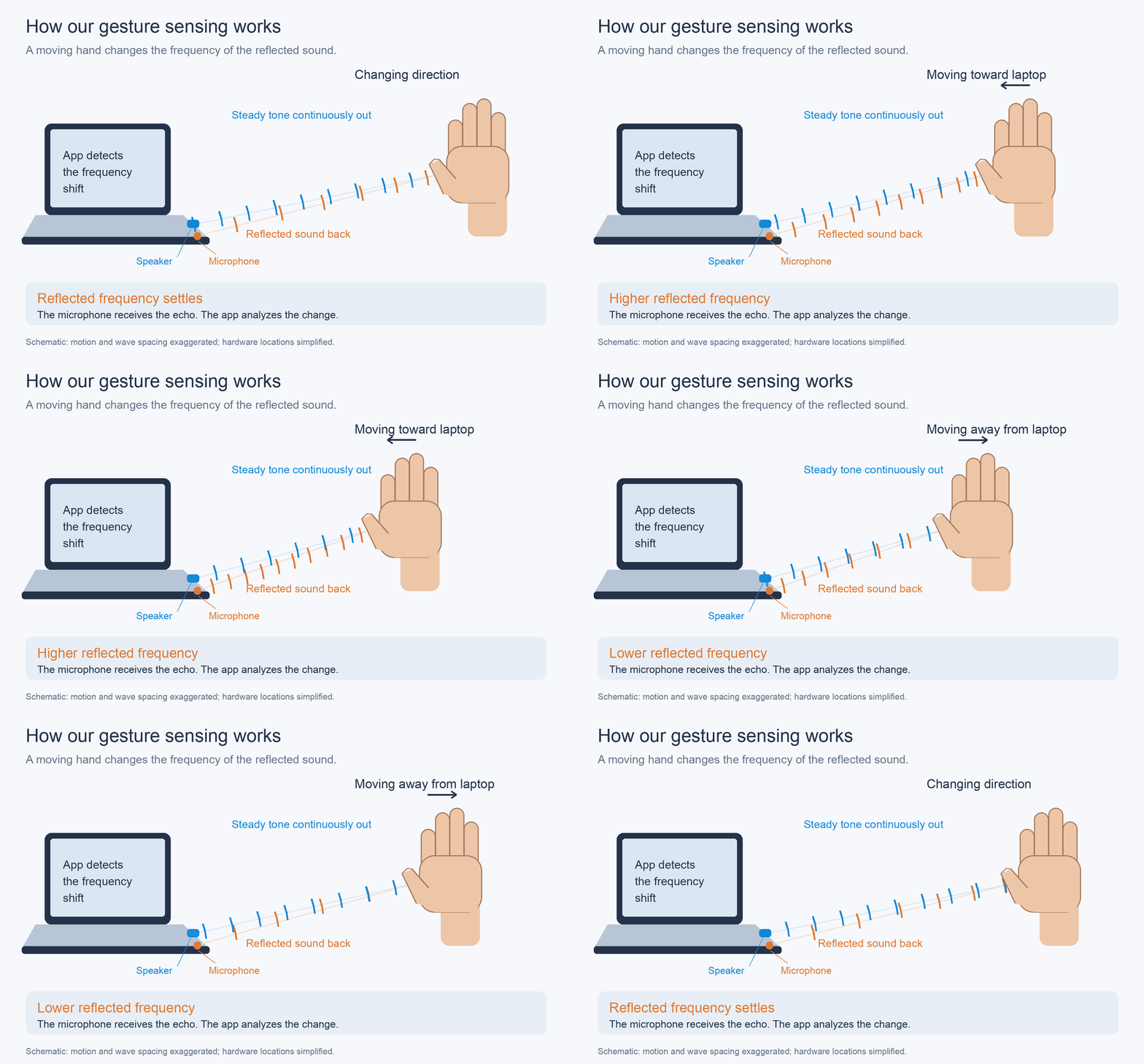
Thus Sonar was born! You can scroll, swipe through photos, and zoom by moving your hand above your MacBook. It’s really fun, and still an experiment. Some actions work better than others, and I’m figuring it out as I go.
I tweeted a 16 second video a few days later and it went kinda viral! There were no plans on open sourcing this until it hit me that there are real-life programmers and tech enthusiasts out there who want to build on top of this. That’s exciting af and I can always figure out monetization later!
The original research is titled SoundWave, by Sidhant Gupta, Dan Morris, Shwetak Patel, and Desney Tan. They published it in 2012. Fourteen years later, here we are.
Shoutout to Daniel Rapp too. He built Doppler, a browser implementation of SoundWave. We studied his code and demos as a reference while building Sonar.
Compatibility
Works on M-Chip MacBooks running macOS 14 or later. We’re not sure if it’ll trip up on Intel Macs or any older kinds. If you run into issues, let me know.
Your privacy
Sonar processes microphone audio on your Mac. The audio stays in memory while it runs. It isn’t saved or uploaded, and Sonar doesn’t use your camera.
It does save recent movement readings on your Mac to help debug scrolling. These are things like direction and signal strength, not audio recordings. They stay in your Mac’s Sonar cache folder.
Microphone access lets Sonar listen for the sound bouncing back from your hand. Accessibility access lets it send scroll and keyboard actions to the app you’re using. You can turn either permission off in System Settings.
If you want to contribute please open up a PR here.
I hope you enjoy Sonar just as much as I do!
- Emanuel
P.S. If you like Sonar, you can buy me a coffee :)